 DroidBridge
Get started
DroidBridge works with USB devices, emulators and phones on your Wi-Fi. You only need ADB, and DroidBridge finds or downloads it for you.
- Install the extension from the VS Code Marketplace or Open VSX, or run:
code --install-extension lusansapkota.droidbridge - Turn on developer options on the device: Settings > About phone, then tap Build number seven times.
- Connect the device. Plug it in over USB and accept the debugging prompt, or start an emulator. The sidebar shows Device ready as soon as ADB sees it.
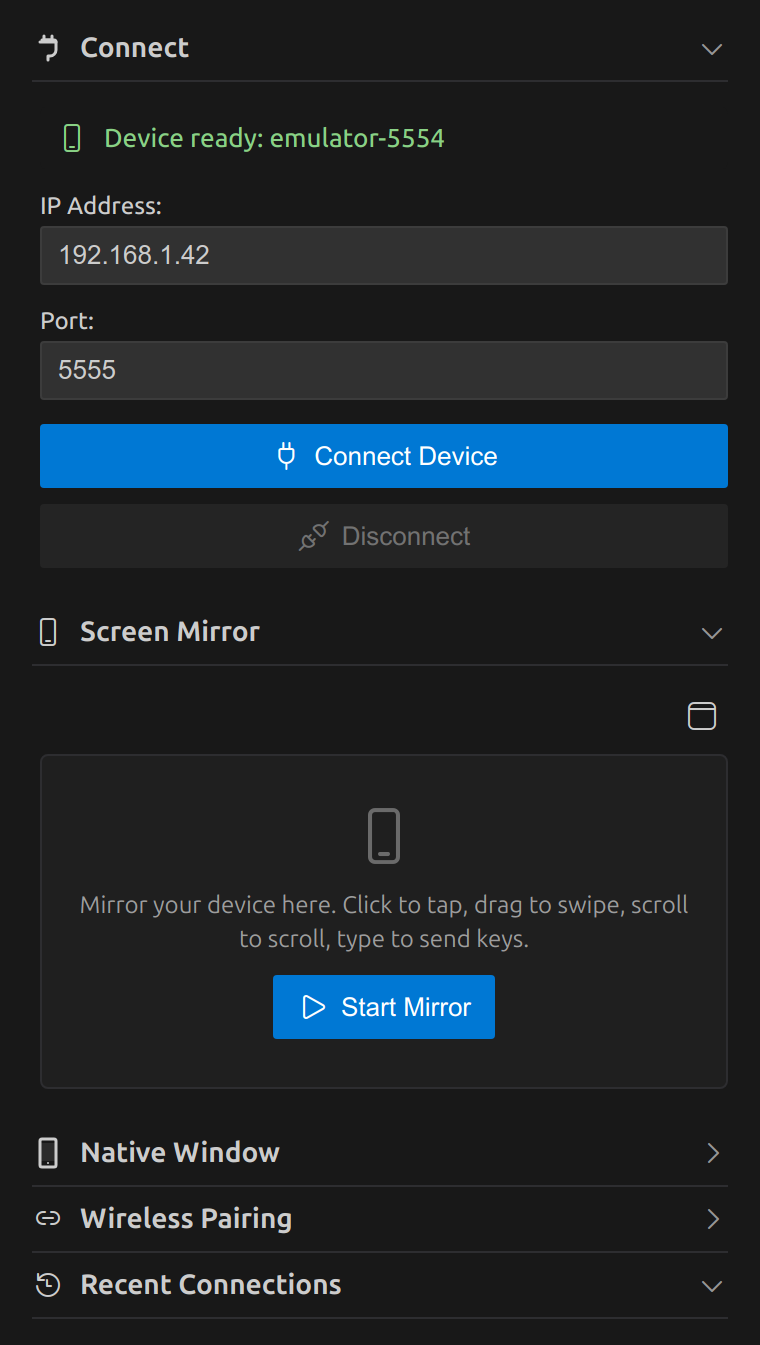
- For Wi-Fi, open Developer options > Wireless debugging. Pair once with the code shown there using Wireless Pairing in the sidebar, then enter the IP and port under Connect.
- Open the DroidBridge view in the activity bar and click Start Mirror.
Screen mirror
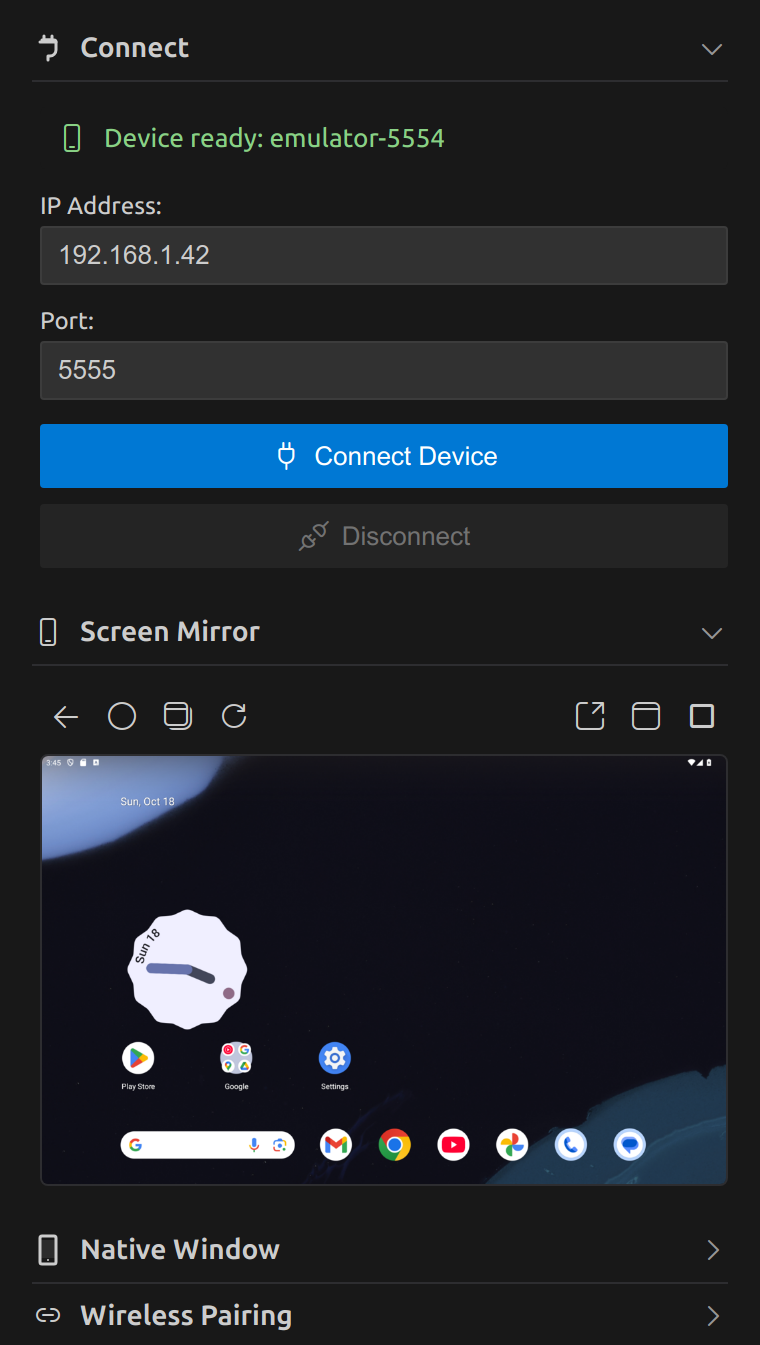
The device screen streams into the sidebar and stays interactive. It keeps the device's shape at any sidebar width and follows rotation, so phones and landscape tablets both fit.
| To do this | On the mirror |
|---|---|
| Tap | Click |
| Swipe or drag | Click and drag |
| Scroll | Mouse wheel or trackpad |
| Type | Click the mirror, then type. Enter, Backspace and arrow keys work. |
| Back | Right click or Escape, or the back button in the toolbar |
| Home, recent apps, rotate | Toolbar buttons above the mirror |
More room
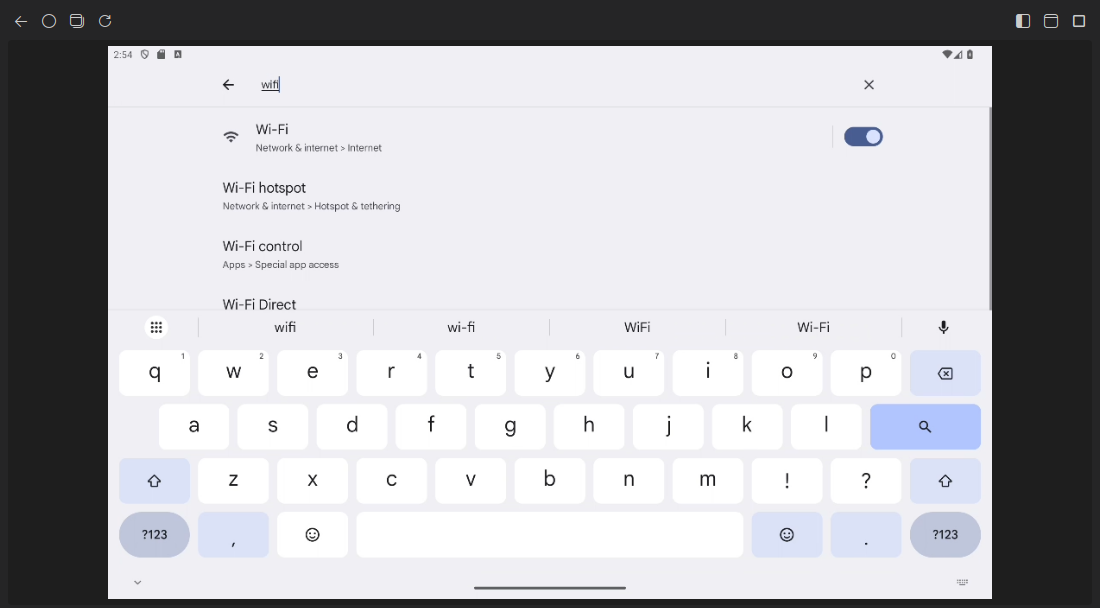
Use Open in editor tab to move the mirror into a resizable editor tab. Drag that tab out to give the device its own window, and use Move back to sidebar to dock it again.
Prefer the classic scrcpy window? Use Open in native scrcpy window. It needs scrcpy installed; the embedded mirror does not.
AI agents (MCP)
DroidBridge includes an MCP server, so AI agents can look at the screen, read its elements, tap, type, read logs and install builds. Keep the mirror open and watch every step.
Try prompts like these:
- Install the debug APK from app/build/outputs, log in with the test account and tell me if the dashboard loads.
- Open the settings screen and check logcat for the crash. Explain the cause.
- Rotate the tablet and check whether the checkout layout still fits.
GitHub Copilot in VS Code
Nothing to set up. Open Copilot Chat in Agent mode, open the tools picker and enable DroidBridge Android.
Claude Code
Run DroidBridge: Set Up AI Agent Access (MCP) from the command palette, choose Claude Code, and paste the copied command into a terminal. It looks like this:
claude mcp add droidbridge -e DROIDBRIDGE_ADB="/path/to/adb" -- node "/path/to/globalStorage/lusansapkota.droidbridge/mcp-server.js"Cursor, Claude Desktop, Windsurf and others
Run the same command and choose the JSON option, then add it to the client's MCP configuration:
{
  "mcpServers": {
    "droidbridge": {
      "command": "node",
      "args": ["/path/to/globalStorage/lusansapkota.droidbridge/mcp-server.js"],
      "env": { "DROIDBRIDGE_ADB": "/path/to/adb" }
    }
  }
}
External clients need Node.js. The copied path stays the same when DroidBridge updates.
Agent tools
Coordinates are device pixels. With more than one device connected, every tool takes a serial from list_devices.
| Tool | What it does |
|---|---|
list_devices | Connected devices and emulators, with their serials |
screenshot | The screen as an image, with the scale to device pixels. maxSide sets the image size (default 1024). |
ui_tree | On-screen elements with text, description, id and tap position. filter narrows the list. |
tap_element | Find an element by text, id or desc and tap it |
tap, long_press | Touch at x, y |
swipe | Swipe from x1, y1 to x2, y2. Swipe up to scroll down. |
type_text | Type into the focused field. ASCII only. submit presses Enter. |
press_key | back, home, recents, enter, delete, tab, arrows, power, volume and more, or any Android keycode |
current_app | The app and screen in the foreground |
list_apps, launch_app | Find installed packages and start one |
install_apk | Install or update an APK from your computer |
logcat | Recent logs, filtered by level or text, optionally clearing the buffer |
shell | Run an adb shell command on the device |
Agents act on your device the way you would. Review what you allow, especially shell and install_apk. Most MCP clients ask before each tool call.
Settings
Open Settings and search for DroidBridge, or add these to settings.json.
| Setting | Default | What it does |
|---|---|---|
droidbridge.scrcpy.maxSize | 1024 | Longest side of the mirror in pixels. 0 uses the native resolution. |
droidbridge.scrcpy.bitrate | "8M" | Video bitrate. Raise it for sharp tablets, lower it on slow Wi-Fi. |
droidbridge.scrcpy.alwaysOnTop | true | Keep the native scrcpy window above other windows. |
droidbridge.defaultIp | "192.168.1.100" | IP address filled in under Connect. |
droidbridge.defaultPort | "5555" | Port filled in under Connect. |
droidbridge.adbPath | "" | Custom ADB path. Leave empty to detect it automatically. |
droidbridge.scrcpyPath | "" | Custom scrcpy path for the native window. Leave empty to detect it. |
Commands
All commands are in the command palette under DroidBridge.
| Start Screen Mirror, Stop Screen Mirror | Embedded mirror |
| Open Screen Mirror in Editor Tab | Move the mirror to an editor tab |
| Open Screen Mirror in Native Window, Launch Scrcpy, Launch Scrcpy Screen Off, Stop Scrcpy | Native scrcpy window |
| Connect to Device, Disconnect Device, Pair Device (Manual) | Wireless ADB |
| Set Up AI Agent Access (MCP) | Copy setup for Claude Code, Cursor and other agents |
| Check Binary Status, Download Missing Binaries, Refresh Binary Detection | ADB and scrcpy setup |
| Show Logs | Open the DroidBridge output log |
Troubleshooting
The sidebar says Disconnected with a USB device plugged in
Unlock the device and accept the "Allow USB debugging" prompt. If no prompt appears, unplug, revoke USB debugging authorizations in Developer options, and plug in again. Check that adb devices lists the device as device, not unauthorized.
Wireless connection fails
The computer and device must be on the same network. On Android 11 and newer, pair first with the code from Wireless debugging; pairing codes expire after about a minute. The connect port differs from the pairing port.
The mirror stays on Starting or freezes
Stop and start it from the toolbar. On slow Wi-Fi, lower droidbridge.scrcpy.maxSize to 720 or the bitrate to 4M. Show Logs includes the mirror server output.
The video could not be decoded
A few devices produce video that your platform's decoder rejects. Lower droidbridge.scrcpy.maxSize, or use the native scrcpy window.
An agent says ui_tree failed
The screen was animating or showed protected content, such as a banking app or a lock screen. Ask the agent to try again or take a screenshot instead.
Claude Code or Cursor cannot start the MCP server
These clients start the server with Node.js. Install Node.js 18 or newer, run Set Up AI Agent Access again, and replace the old entry with the newly copied one.
Requirements
| Editor | VS Code 1.104 or newer, or a compatible editor that installs from Open VSX |
| Device | Android 5.0 or newer with USB or wireless debugging enabled |
| Computer | Windows, macOS or Linux |
| Native window | scrcpy, only if you use it |
| External AI clients | Node.js 18 or newer |